HMRC Tax Filing. £3.99 Per Filing. No Subscription.
VAT, Self Assessment & Property filed in minutes, not hours.CIS, Reliefs, Losses, State Benefits & more: always free, no credits needed.
~£20/year vs. FreeAgent £228 · Xero £180 · QuickBooks £144Same HMRC-recognised compliance. A fraction of the price.
Zero Commitment. Total Control.
No contracts ✗ No subscriptions ✗ Just pay-as-you-go freedom ✓
4 free credits on sign-up · £3.99 to £5.99 per filing, set by your income · Only charged on success
 Ref C3Q9DA
Recognised by HMRC for Making Tax Digital
FileThat is on HMRC's list of software that works with Making Tax Digital, for both VAT and Income Tax.
HMRC Recognised
Listed by HMRC as recognised software for Making Tax Digital
Bank-Level Security
OTP authentication and encryption. Your credentials are never stored
Save Hours Every Return
Average submission time: 3 minutes for VAT, 8 minutes for Self Assessment
Receipts Stored Forever
All HMRC submission receipts stored and downloadable anytime for your records
No Hidden Fees
Pay only for successful submissions. Nil returns always free
VAT Filing
Upload our CSV template or fill the form. File your VAT return in seconds!
£3.99 to £5.99 per filing*
Self Assessment Income Tax
Get ready for the HMRC MTD Self Assessment switch over from April 2026
£3.99 to £5.99 per filing*
✓ Extra Details (always free, no credits needed):
Save Hundreds vs Traditional Software
Typical sole trader filing 4 VAT returns + 5 Self Assessments per year
| FileThat | QuickBooks / Xero | Accountant | |
|---|---|---|---|
| Annual Cost | £16-24* | £130-259 | £500-1000 |
| Setup Cost | £0 | £0-50 | £0-100 |
| Nil VAT Returns | Free ✓ | Included | £50-100 each |
| Amendments | Free ✓ | Included | £50-150 each |
| Contract | None ✓ | 12 months | Per service |
| Extra Details (CIS, Reliefs, Losses…) | Free ✓ | Included | £50-200 each |
| Annual Savings vs FileThat | – | £106-243 | £480-996 |
*A sole trader files 4 quarterly updates a year. Final declarations, NIL VAT returns and amendments cost nothing.
Year one: 4 quarterly updates - 4 free credits = £0. After that: 4 × £3.99 = £15.96/year on the lowest band, or £23.96 on the highest.
Add a second business, such as a rental, and you file a second set of quarterly updates, so the cost doubles.
⚡ First 500 individuals to connect to HMRC lock in £3.99 per filing forever. After that the price follows your own income: £3.99 under £30k, £4.99 from £30k to £50k, £5.99 above that. Agents pay £2.99.
Bank-Level Security for Your Peace of Mind
Your account is protected with One-Time Password (OTP) authentication. Minimal data stored. Maximum security. We encrypt everything, store only what's essential, and never keep your HMRC credentials. Your tax data stays yours.
Everything You Need for UK Tax Compliance
Direct HMRC integration. Automated submissions. Complete peace of mind.
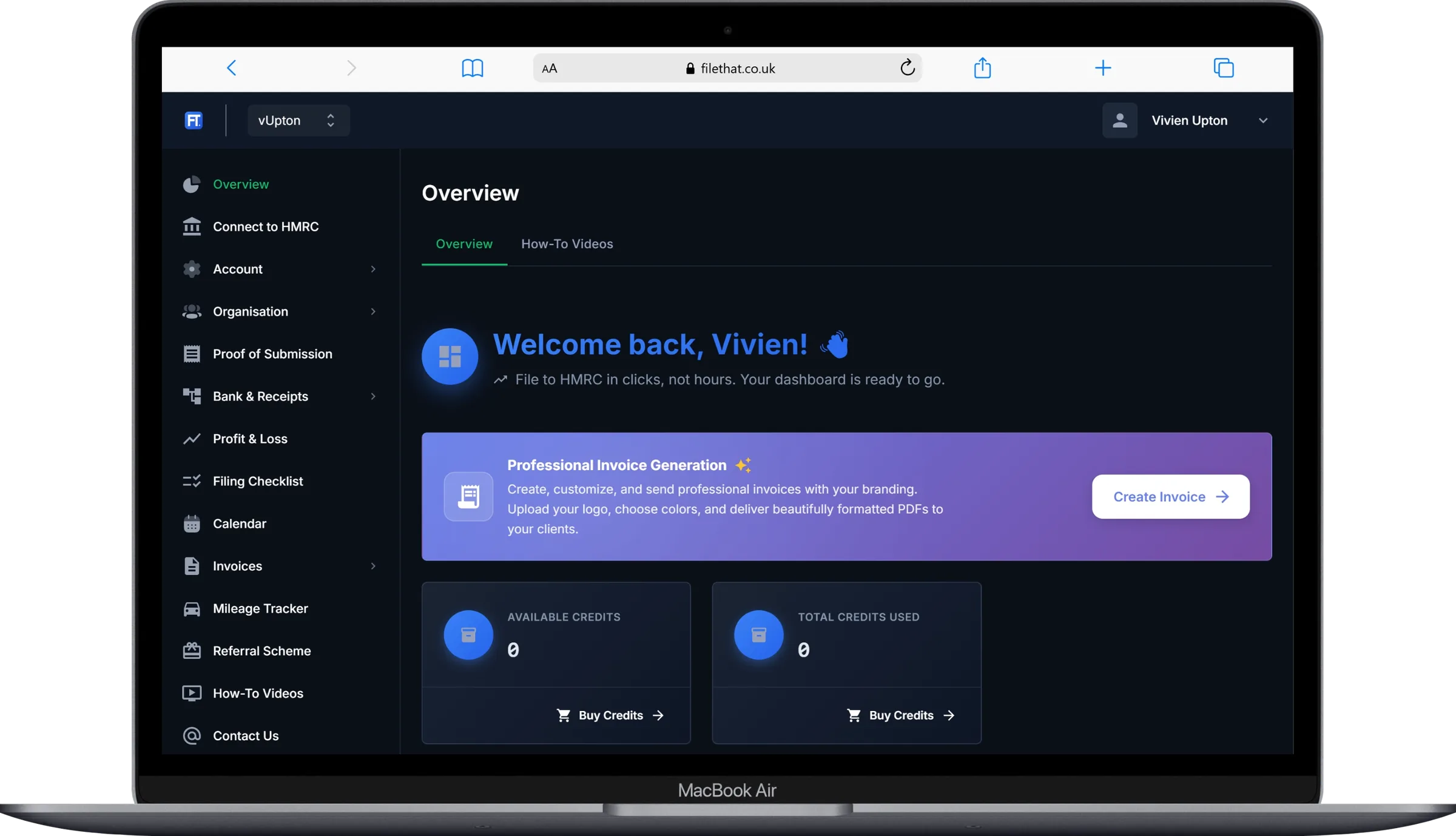
Direct HMRC Integration
Connect securely to HMRC using OAuth authentication. Your credentials stay private while we handle VAT returns, Self Assessment, and Agent Services directly through HMRC's Making Tax Digital (MTD) platform. No manual data entry. No third-party intermediaries.
Digital Records That Work For You
Stay MTD compliant effortlessly. FileThat automatically maintains your digital records as required by HMRC's Making Tax Digital rules. Completely free, no hidden charges. Your stored transactions auto-populate submission forms, saving hours of manual data entry. Whether you're self-employed, a landlord, or VAT-registered, we handle the record-keeping so you can focus on your business.
Accountant-Ready Income & Expenditure Ledger
Using an accountant? You still have to keep digital records yourself through the year. The Income & Expenditure ledger lets you record every transaction as it happens, attach the receipt, and export a categorised CSV and PDF for your accountant to file from, for £2.99. No chasing paperwork at year end.
Filing your own returns? Use Digital Records instead. They feed your quarterly updates, so what you record goes straight to HMRC when you file, with no rekeying. Keeping digital records is free; you only pay for quarterly updates.
AI-Powered Receipt Intelligence
Transform receipt management with cutting-edge AI. Just snap a photo. Our advanced OCR technology instantly extracts merchant names, amounts, dates, and categories with enterprise-grade accuracy. No manual typing. No data entry errors. Convert processed receipts into HMRC-compliant Digital Records in one click. Receipt images are automatically deleted after extraction for maximum security and privacy.
AI Categorisation Assistant
Not sure which HMRC tax category your transaction belongs to? Open any digital record and let our built-in AI guide you. It analyses the description, amount, and merchant, asks a couple of plain-English questions if needed, and then suggests the correct category, explaining its reasoning in plain English. No accounting knowledge required. One click to confirm, and the record updates instantly. Powered by Claude Sonnet 5 and built specifically for UK tax rules.
Why we don't use Open Banking, and why that's good for you
The principle that runs through FileThat is simple: we ask for the minimum we need to do the job, and nothing more. That applies at sign-up, and it applies to your transactions.
Open Banking would let us pull your transactions automatically, but to do that we'd need to handle a lot more than we actually need, and the licensing that comes with it costs £36K–£100K a year, a cost that ends up on customers' bills. We've taken a different path: you upload a simple CSV from your bank (date, description, amount) and our AI handles the categorising and filing. We never see your account number, sort code, or balance, because we don't need them to file your tax. The less we hold, the less there is to lose.
Same outcome, lower cost, fewer details on the line.
If enough of you tell us Open Banking would change your mind, we'll listen.
UK & Foreign Property Filing
One of the few MTD-compatible platforms to fully support all three income types: Self Employment, UK Property, and Foreign Property. Whether you're a domestic landlord, own holiday lets abroad, or manage a mixed portfolio, file quarterly updates and annual returns for every property type directly with HMRC. Handle income, expenses, allowances, and adjustments for each property source separately, exactly how HMRC requires. Foreign property landlords: no more spreadsheets and guesswork.
Self Assessment Made Simple
£3.99 to £5.99 per filing, set by your own income. Credits only deducted when HMRC confirms receipt. Failed submission? Keep your credit. Unlimited amendments? Free. Additional information (Capital Gains, Employment, Pensions)? Free. First 500 individuals to connect to HMRC lock in £3.99 forever.
VAT Returns on Autopilot
£3.99 to £5.99 per filing, set by your own income. Nil returns? Always free. Credits only deducted when HMRC confirms receipt. Upload our CSV template or fill the form. Your choice. File quarterly VAT in seconds. First 500 individuals to connect to HMRC lock in £3.99 forever.
Try Four, Free
Get started with 4 free credits. Purchase credits as you need them. They're only deducted when HMRC confirms successful receipt. Failed submission? Keep your credit.
Built for Agents
Manage multiple clients effortlessly. Switch between organizations, and keep all your clients' tax affairs in one secure platform.
Never Miss a Deadline
Get email reminders 7, 3, and 1 day before each filing deadline, plus confirmations when you submit to HMRC. Stay ahead of penalties.
File From Anywhere
Fully responsive design means you can manage your tax obligations from your phone, tablet, or desktop. On the train, at the office, or from your sofa.
Around £106 to £243 a year less than a subscription
You pay per submission, between £2.99 and £5.99 depending on your own income, and only when HMRC confirms the submission was received. No subscription, no contract, no auto-renew. The figures below are for a sole trader filing four submissions a year, against the paid subscription alternatives.
| Software | Annual cost | How they charge |
|---|---|---|
FileThat That's us | £16 to £24 sole trader, 4 submissions | Pay per submission: £2.99 to £5.99, set by your own income. Nil VAT returns, final declarations and amendments are free. More businesses means more submissions. |
Xero Ignite | £259 £18/mo from 1 Sept | Monthly subscription. Price rises from £16 to £18 a month on 1 September 2026. |
FreeAgent Sole Trader | £228 £190/yr plus VAT | Annual subscription. Free if you bank with NatWest, RBS, Ulster or Mettle. Landlord-only tier is cheaper. |
GoSimpleTax MTD | £156 £12.99/mo | Monthly subscription, sold through Coconut. Their Self Assessment only product is £69.99 a year and does not cover quarterly MTD. |
QuickBooks Sole Trader | £144 £10/mo plus VAT | Monthly subscription, regular price after the introductory period. |
untied Pro | £130 annual | Annual subscription. Personal tax only. |
4 free credits when you sign up, which is a full year of quarterly VAT or Self Assessment submissions, free. No card required.
First 500 individuals to connect to HMRC lock in £3.99 per filing forever. After that you pay the band that matches your income: £3.99 under £30k, £4.99 from £30k to £50k, £5.99 above that. Agents pay £2.99.What it costs, all of it
You pay per submission, and the price follows your own income rather than how early you happened to sign up. Below is the whole of it, including the parts most software leaves for you to work out later.
Price per submission
One credit covers one new quarterly update, or one VAT return that is not a NIL return. Nothing else uses a credit.
| Who | Per submission |
|---|---|
Agents Once you connect through HMRC Agent Services | £2.99 |
First 500 to connect to HMRC, and anyone under £30,000 The first 500 to connect keep this price permanently | £3.99 |
£30,000 to £50,000 HMRC’s own MTD threshold | £4.99 |
£50,000 and over HMRC’s own MTD threshold | £5.99 |
What a full year actually costs
The range runs from the lowest band to the highest. Your first year is cheaper still, because the 4 free credits come off the total. Whatever your situation, once you have paid £50 in a tax year the rest of that year is free.
| Situation | Paid submissions | A year |
|---|---|---|
Sole trader | 4 a year | £15.96 to £23.96 |
Sole trader who also lets a property | 8 a year | £31.92 to £47.92 |
VAT registered sole trader | 8 a year | £31.92 to £47.92 |
Free, and staying free
The Income and Expenditure ledger, in full
Your first 4 credits when you sign up
NIL VAT returns, always
Final declarations, always
Correcting a quarterly update you have already filed
Amendments, and additional information such as Capital Gains, Employment and Pensions
Any submission HMRC does not accept
Things we would rather tell you upfront
Once you have paid £50 in a tax year, everything else you file that year is free. Credits are bought in whole units, so the one that takes you past £50 is the last thing you will be charged, and the most we will ever ask you for in a tax year is £55. Agents are not capped.
Credits are used per submission, per business. Two businesses means two sets of quarterly updates, so twice the credits. The figures above already account for that.
If you run more than one business, your band is set by your total income across all of them added together, not by the largest one. That is the same figure HMRC uses to decide when you have to join Making Tax Digital.
Your band is worked out once a year from figures you have already filed through FileThat. Until there is anything to go on, you pay the lowest price.
If you file VAT and nothing else, your band comes from the sales figure on your VAT returns. That works whether you keep records here or upload a spreadsheet.
If your band falls, the lower price applies straight away. If it rises, it does not take effect until the following 6 April, so your costs never go up in the middle of a year.
Nothing is ever backdated. Credits you have already bought stay at the price you paid.
Credits do not expire, and there is no subscription to cancel.
Professional Invoice Generation
Create, customize, and send beautiful invoices with your branding. Because professional businesses deserve professional invoicing.
Invoice Your Clients Like a Pro
Upload your company logo, choose your brand colors, and create professional invoices that get paid faster. Our invoice system automatically generates beautifully formatted PDFs and sends them directly to your clients.
Your Brand, Your Way
Upload logos, customize colors, and add your business details
Professional PDFs
Clean, modern invoices with itemized details and payment terms
Email Delivery
Send invoices directly to clients with beautiful HTML emails
Unlimited
Create as many invoice templates as you need
Instant
Generate and send invoices in seconds
Branded
Your logo and colors on every invoice
Trackable
Monitor all your invoices in one place
Everything You Need, Right at Your Fingertips
File VAT returns and Self Assessment from anywhere. Every feature you need is just a tap away.
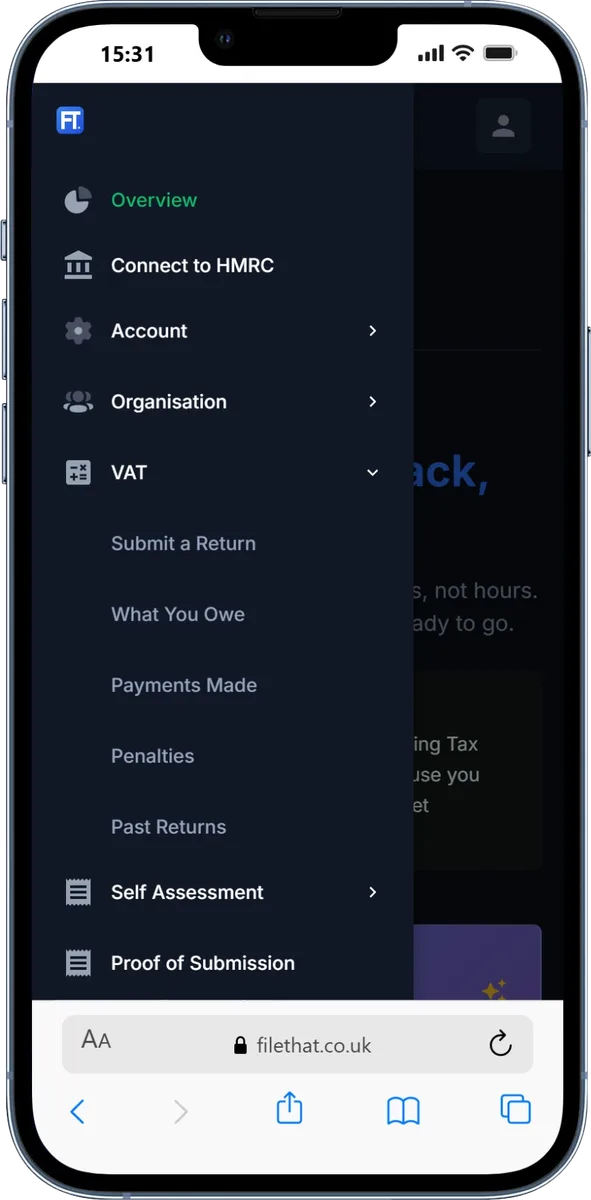
VAT Returns
Submit returns, view obligations, track payments, download our CSV template, and manage nil returns with ease.
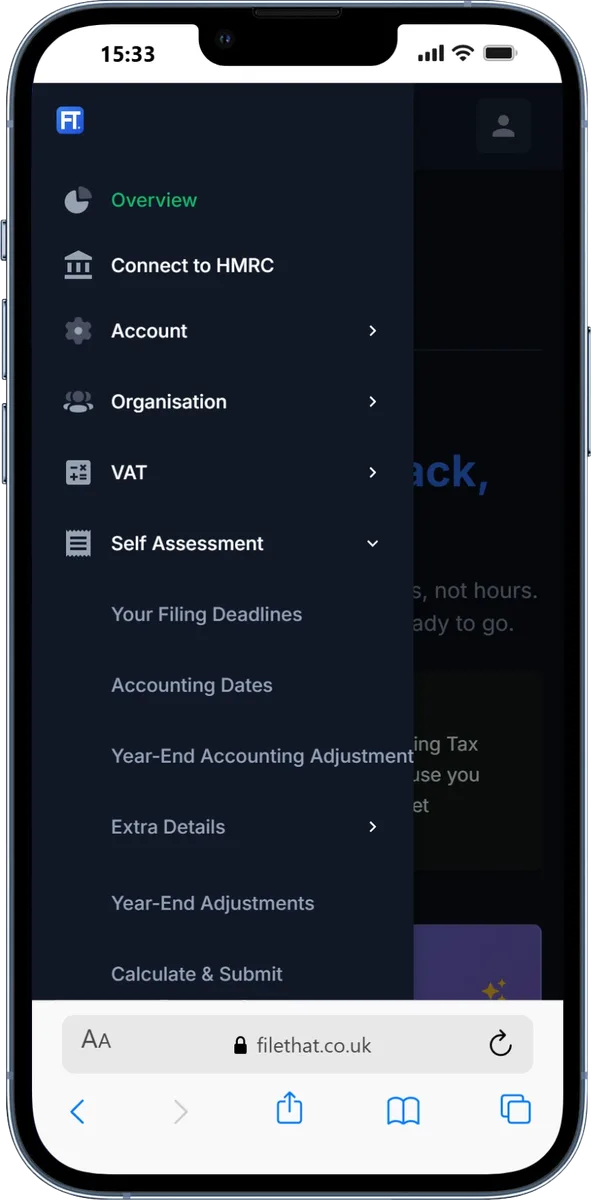
Self Assessment
File all three MTD income types (Self Employment, UK Property, and Foreign Property) plus employment details, tax calculations, and amendments. One of the few platforms with full foreign property support.
Instant Submission Receipts
Get professional receipts immediately after submitting your VAT returns and Self Assessment. Clear confirmation with all the details you need for your records.
All receipts are securely stored in your FileThat account and available for download anytime. Perfect for your records, audits, or accountant requests. Never worry about lost paperwork again. Access your complete submission history whenever you need it, from anywhere.
VAT Return Receipt
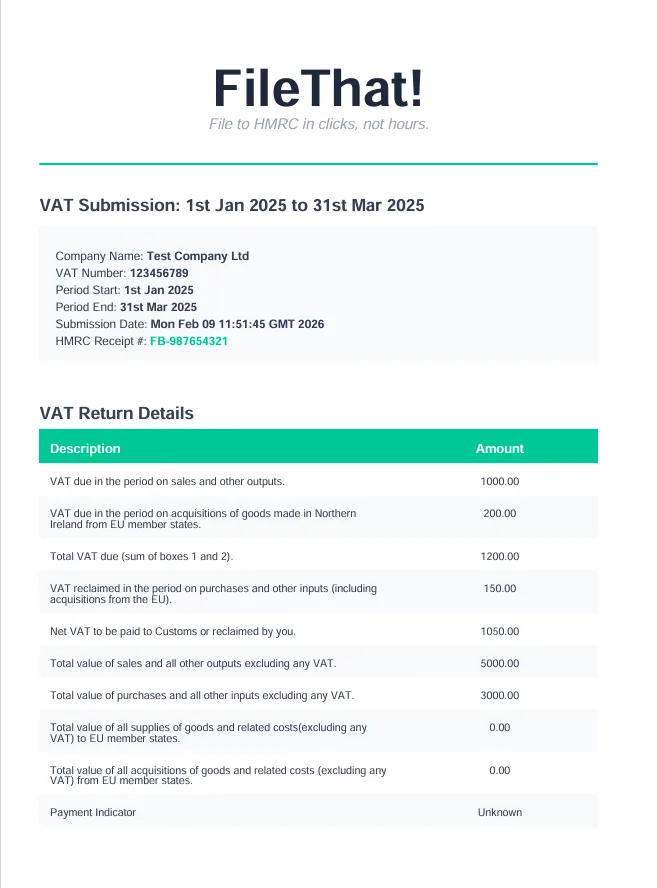
Detailed confirmation of your VAT return submission with HMRC receipt date and processing number.
Self Assessment Receipt
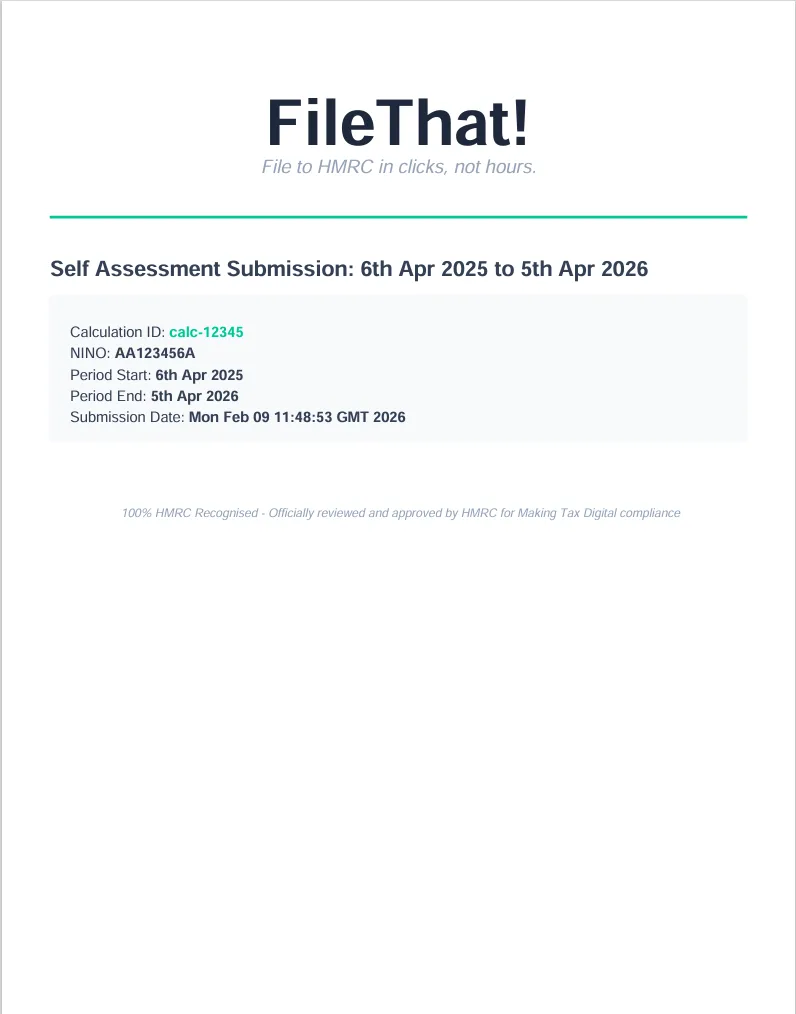
Complete record of your Self Assessment submission with all key information from HMRC.
Frequently Asked Questions
Quick answers to common questions about FileThat's HMRC-compliant tax filing platform.
Are digital records that auto-fill submission forms really free?
Yes, 100% free. Your digital records are fully integrated and can auto-populate required forms, saving you time and effort at no extra cost. Keeping digital records is mandatory for people and businesses that fall within HMRC's Making Tax Digital rules, and this integration helps you stay compliant without paying extra. No hidden upgrade, no paid add-on, no catch. Just seamless, free integration to make your tax filing easier.
What is Making Tax Digital (MTD)?
Making Tax Digital is HMRC's initiative to modernise the UK tax system. It requires people and businesses in scope to keep digital records and submit returns using compatible software like FileThat. MTD for VAT is mandatory for most VAT-registered businesses, and MTD for Income Tax applies to self-employed individuals and landlords who meet HMRC thresholds.
I use an accountant. Do I still need to keep digital records myself?
Yes, and this is one of the most common misconceptions about MTD. HMRC requires you to keep digital records throughout the year, and your accountant cannot do this part for you. If your accountant files for you, FileThat's Income & Expenditure ledger is built for it: record income and expenses as you go, attach receipts to each line, and export a categorised CSV and PDF for your accountant to file from. If you file your own returns, use Digital Records instead: they feed your quarterly updates, so what you record goes straight to HMRC when you file.
Can I upload a spreadsheet for VAT returns?
Yes! Download our CSV template, fill in your VAT figures, and upload it. FileThat automatically populates your return. Or fill the form manually if you prefer. Both methods submit directly to HMRC in seconds.
How do I connect FileThat to HMRC?
FileThat uses HMRC's secure OAuth authentication system. When you register for a service (VAT, Self Assessment, or Agent Services), you'll be redirected to HMRC's website to authorise FileThat. Your HMRC credentials never pass through our system. Everything happens directly between you and HMRC.
Is my data secure?
Absolutely. We use industry-standard encryption for all data transmission and storage. Your HMRC authentication is handled through OAuth, meaning we never see your Government Gateway credentials. All communications with HMRC are encrypted and comply with their security requirements.
Do I really get 4 free HMRC credits?
Yes! Every new user gets 4 free HMRC credits. That's a full year of free quarterly submissions, VAT or Self Assessment. No card required. Your credits are only deducted when HMRC confirms successful receipt of your return.
What if my submission fails?
You keep your credit. We only deduct credits when HMRC confirms successful receipt of your return. If a filing fails for any reason (validation error, HMRC downtime, or technical issue), your credit remains unused and you can try again at no cost.
How do I purchase credits?
FileThat uses Stripe, the world's leading payment processor, for secure credit purchases. We never see or store your payment details. Everything is handled directly by Stripe's PCI-compliant platform. Simply choose how many credits you need, and Stripe's secure checkout handles the rest. Your payment information is encrypted and protected by the same technology used by millions of businesses worldwide.
How much does FileThat cost?
£3.99 to £5.99 per submission, set by your own income, and £2.99 for agents. NIL VAT returns are always free. Purchase credits as you need them. They're only used when HMRC confirms successful submission. Amendments and additional information (Capital Gains, Employment, Pensions) are always free. ⚡ Early adopter offer: the first 500 individuals to connect to HMRC lock in £3.99 forever. After that the price follows your own income: under £30k stays £3.99, £30k to £50k is £4.99, and £50k and over is £5.99. Agents pay £2.99. Whatever you file, once you have paid £50 in a tax year everything else that year is free, and the most we will ever ask you for is £55.
How does pricing work for agents?
Agents pay £2.99 per filing, whatever their own income. An agent files for a number of clients by definition, so banding them on their own turnover would say nothing useful about the work they do. The rate applies once you have connected to HMRC through Agent Services, which is how we know you are an agent rather than simply taking your word for it at signup. There is no threshold to cross and nothing to apply for. Agent accounts do not take one of the 500 early adopter places, which are there for individuals.
Can AI really categorise my transactions for me?
Yes, and it requires no accounting knowledge. Open any uncategorised digital record and tap the AI Categorisation Assistant. It analyses the transaction description, amount, and merchant, then asks you one or two plain-English questions if it needs more context. Once confident, it suggests the correct HMRC tax category with a plain-English explanation of why. Confirm with one click and the record is updated instantly. It's powered by Claude Sonnet 5 and guided by UK tax rules for self-employed income, property, expenses, and VAT. It suggests, you decide: the category is never changed until you confirm it.
What happens if I miss a filing deadline?
FileThat shows your upcoming filing deadlines on your dashboard and emails you reminders 7, 3, and 1 day before each one to help you stay on track. If you do miss a deadline, HMRC penalties apply, not FileThat fees. We recommend keeping HMRC Deadline Alerts enabled in your notification settings.
Can tax agents use FileThat for multiple clients?
Yes! FileThat is built with agents in mind. You can authenticate with HMRC Agent Services once, then manage multiple clients from a single account. Switch between organisations easily, submit on behalf of clients, and keep all your tax work organised in one platform.
What if I need help or have technical issues?
We're here to help! You can reach us through our contact page or email support. We typically respond within 24 hours on business days. For urgent issues during filing season, we prioritise support tickets to ensure you can meet your deadlines.
Can I earn free credits by referring friends?
Yes! Earn more credits using our referral scheme. Refer a friend and earn a credit for any new registration. Share your unique referral code with friends, and when they sign up, you'll automatically receive a free credit. It's our way of saying thank you for spreading the word about FileThat.
Can I file for foreign property income?
Yes. FileThat is one of the few MTD-compatible platforms that fully supports foreign property filing alongside UK property and self-employment. You can submit quarterly updates and annual returns for overseas rental income, report foreign property expenses and allowances, and handle adjustments, all directly to HMRC. No need to switch between different tools or resort to manual spreadsheets for your overseas portfolio.
What property income types does FileThat support?
FileThat supports all three MTD income types: Self Employment, UK Property, and Foreign Property. For each property source you can manage income, expenses, allowances, and adjustments separately, exactly how HMRC requires under Making Tax Digital. Whether you have a single buy-to-let, a mixed UK and overseas portfolio, or furnished holiday lets, FileThat handles it all in one place.